Best Serial Port Monitors: Software & Hardware Compared (2026)
A jumble of free downloads, paid apps, and hardware boxes all call themselves "monitors." Here is what actually works, and how to pick the right one.
If you've searched for a serial port monitor, you've probably noticed the results are a mix of free downloads, paid software, and hardware boxes, all calling themselves "monitors," "sniffers," or "analyzers." They are not the same thing, and picking the wrong type is the most common mistake engineers make.
This guide compares the serial port monitors actually worth knowing in 2026, both software and hardware, and tells you plainly which to reach for and when.
First, the one decision that matters
Every serial port monitor falls into one of two camps:
- Software monitors run on a PC and capture traffic through the operating system. They can only see data going to or from that PC, and their timestamps are limited by OS timing.
- Hardware passive taps sit inline on the actual cable and mirror everything on the wire, including traffic between two devices that never touches a PC, with hardware-accurate timing.
A quick way to decide:
- Debugging your own application on the PC running the monitor, and exact timing doesn't matter? Software is fine, and often free.
- Watching two external devices talk to each other, need precise timing, or can't install software on the system under test? You need a hardware passive tap.
Keep that distinction in mind as you read. Most of the "which one is best?" confusion disappears once you know which camp you're in.
Best software serial port monitors
Software monitors are the right tool when you control the PC that's on the link. Here are the ones engineers actually use.
Where all software hits a wall
These tools differ in polish and price, but they share the same hard limits, because they all capture at the operating-system level:
- They only see traffic to or from the PC they're installed on. They cannot watch two external devices talking to each other.
- Their timestamps inherit OS scheduling jitter, which makes them unreliable above roughly 9,600 bps or for any latency-sensitive analysis.
- They can't capture true handshake-line timing, and driver conflicts are common.
If your problem lives inside those limits, pick the software that fits your budget and move on. If it doesn't, no amount of software will solve it. You need hardware.
Best hardware serial port monitors (passive taps)
A hardware passive tap clips inline on the cable and mirrors everything on the wire to your PC, without injecting signals, adding delay, or appearing to either device. It sees device-to-device traffic, timestamps in hardware, and works on production systems you can't modify.
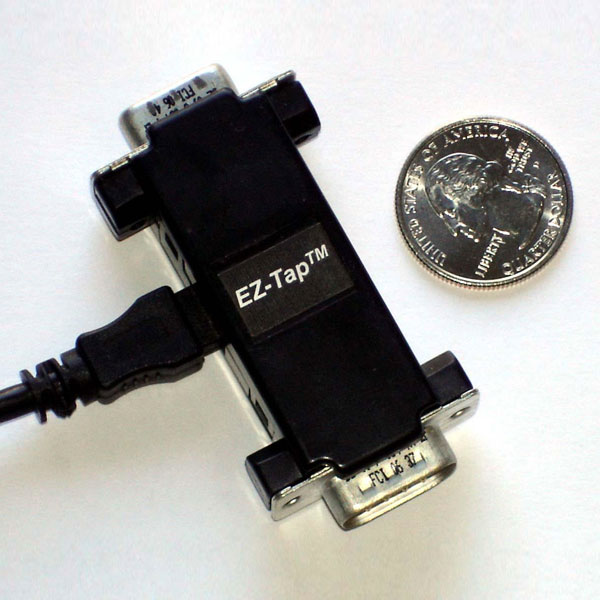
EZ-Tap
- Entry-level RS-232 passive tap
- Basic monitoring up to 230,400 bps
- Includes free EZ-View software
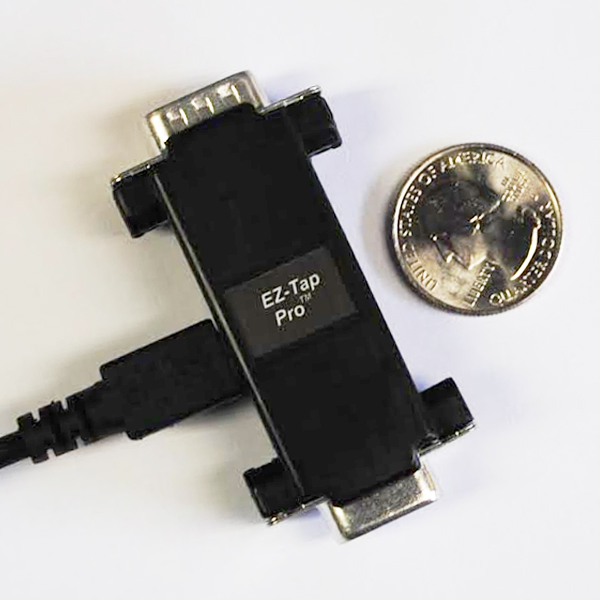
EZ-Tap Pro
- Microsecond hardware time-tagging
- All six RS-232 handshake lines
- RS-232/LVTTL voltage switching
- Baud rates to 1 Mbps
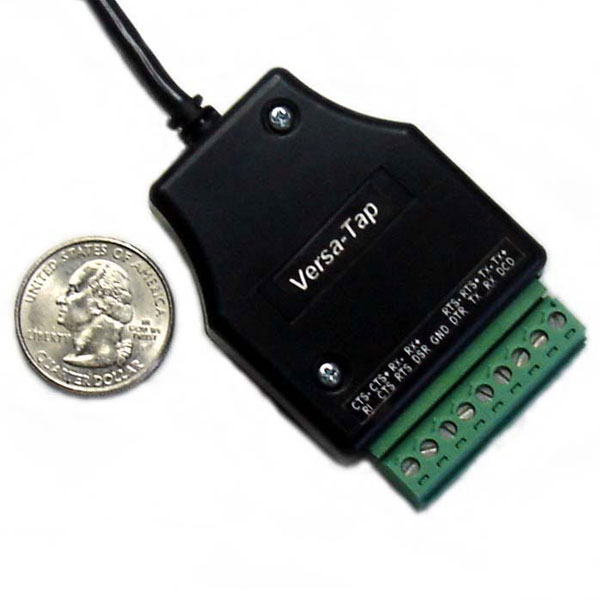
Versa-Tap
- RS-232, RS-422, RS-485 & TTL
- Synchronous HDLC analysis
- Baud rates to 2 Mbps
What sets them apart from both software and most hardware: microsecond hardware time-tagging (so you can reconstruct message order at high baud rates, which software simply can't), RS-232/LVTTL voltage switching in a single device (no separate adapter, a capability competitors don't offer), and automatic comm-parameter detection. All three include free EZ-View software, work with Docklight, and support a custom .DLL API. Best for: RS-232/422/485 debugging where timing, device-to-device visibility, or production access matters, at a price well below lab analyzers.
Compare all three taps side by side →
Software vs hardware: at a glance
| Software monitor | Hardware passive tap | |
|---|---|---|
| Cost | Free to low (about $0–$200) | Hardware purchase (about $295+) |
| Setup | Install on PC | Plug inline on the cable |
| Sees device-to-device traffic | No | Yes |
| Timestamp accuracy | OS-dependent (ms, jittery) | Microsecond, hardware |
| Handshake-line capture | Limited / none | All six lines (Pro/Versa) |
| Works on production systems unmodified | No | Yes |
| Affects the link being monitored | Can (driver/OS) | No, fully passive |
| Best for | Debugging your own app on the PC | Timing, production, device-to-device |
So which serial port monitor should you choose?
- Free or low budget, your own app, timing not critical: a software monitor (Free Serial Analyzer, CommFront, or Eltima/HHD if you want polish).
- Scripted serial testing: Docklight.
- Device-to-device debugging, precise timing, or production troubleshooting: a hardware passive tap.
- RS-232 with timing that matters: EZ-Tap Pro.
- RS-422/485 or mixed protocols: Versa-Tap.
- Basic RS-232 on a budget: EZ-Tap.
Frequently asked questions
For app-level debugging on a PC you control, Free Serial Analyzer and terminal tools like RealTerm or PuTTY cost nothing. They can't see device-to-device traffic or guarantee timing accuracy. For that you need a hardware tap.
The terms overlap. "Monitor" and "sniffer" emphasize passively capturing traffic; "protocol analyzer" emphasizes decoding and interpreting it. A hardware passive tap does both.
No. Software only sees traffic to or from the PC it's installed on. To watch two devices talk to each other, you need a passive tap inline on the cable.
If you control the PC on the link and timing isn't critical, software is enough. If you're debugging device-to-device links, need microsecond timing, or can't modify the system under test, use a hardware passive tap.
Software timestamps are limited by OS scheduling, typically millisecond-level and jittery. Hardware taps timestamp in hardware at microsecond precision, which matters above roughly 9,600 bps.